Compose
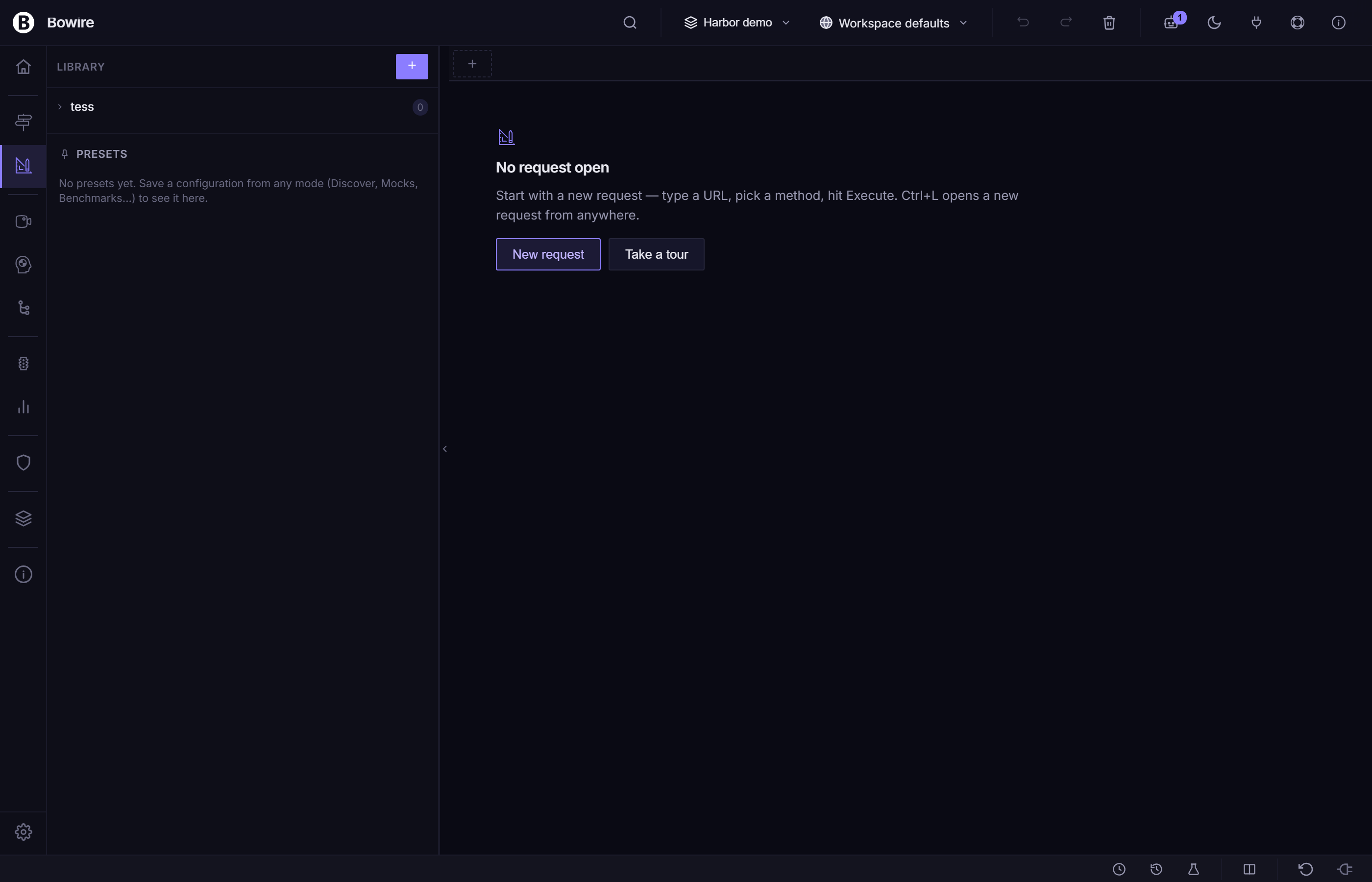
Compose is v2.1's marquee rail — a Hoppscotch-style request builder for crafting and executing API calls without leaning on service discovery. It is the rebuild of v2.0's Design rail, with a new layout, persistent history, binary uploads, and a Library sidebar that moves to the left (a flip from v2.0's right side).
Compose lives in the Kuestenlogik.Bowire.Compose package and ships in Bundle.Workbench (release notes — Compose rail #293, #289, #290, #291, #295).
Opening Compose
Three ways:
- Click the Compose icon in the rail strip (left edge).
- Press the keyboard shortcut bound to rail: compose (see Keyboard shortcuts).
- Deep-link via
?rail=compose(see Rail strip).
If you've previously opened Compose in this workspace, the active tab is restored. Otherwise a fresh tab opens with the REST protocol pre-selected (the default; configurable in Settings).
The request bar
The top of the pane is a single-line request bar — protocol picker on the left, URL or service / method in the middle, send button on the right. The bar stays put across protocols; what changes underneath is the per-protocol body / arguments layout.
| Element | Notes |
|---|---|
| Protocol | Dropdown of every loaded protocol plugin. Selecting one swaps the body layout in place. |
| Method-type (protocol-dependent) | Unary / ServerStreaming / ClientStreaming / Duplex — only shown when the protocol exposes streaming variants. |
| URL / Service / Topic | The protocol's primary target field. |
| Method / Tool / Channel | The secondary target field where the protocol has one. |
| Send / Subscribe / Connect | The action button — adapts to the method-type. |
The protocol picker switches the layout in place — REST gets a URL + KV-table chrome, gRPC gets service / method / JSON body, MCP gets tool / arguments, MQTT gets topic / QoS, WebSocket / SSE get connect / subscribe shells. The selection is sticky per tab.
Per-protocol layouts
| Protocol | Layout below the bar |
|---|---|
| REST | URL field + Params / Headers / Body / Auth tabs. Body has Raw (JSON / text), Multipart form-data, x-www-form-urlencoded, Binary upload. |
| gRPC | Service name + Method dropdown (Server Reflection populated) + JSON body editor + Metadata KV table. |
| GraphQL | Endpoint URL + Query editor + Variables JSON + Headers. |
| MCP | Tool dropdown + Arguments JSON. |
| MQTT | Topic + QoS / Retain / Payload-format selector + Payload editor. |
| WebSocket | Connect URL + Send-message editor with frame history. |
| SSE | Connect URL + per-event-type filter. |
| SignalR | Hub URL + Method + Arguments. |
If a protocol plugin isn't loaded, it doesn't appear in the picker. Install missing protocols via Settings → Plugins.
Library sidebar — moved to the left
In v2.0 the Library sidebar lived on the right. v2.1 moved it to the left, matching Hoppscotch's layout and giving the response pane the full right-side real estate it needs for the JSON viewer + map widget + per-extension panels.
The Library has three tabs:
| Tab | What it shows |
|---|---|
| Collections | The workspace's collections + their requests. Click a request to load it into a new Compose tab. Right-click for Run, Duplicate, Delete. |
| Presets | Per-method saved configurations (header sets, auth, body templates). Apply a preset onto the current tab without leaving the editor. |
| History | Every request you've fired in Compose, newest first. Persists across reloads. |
The sidebar has a resize handle on its right edge — drag to widen / narrow. Closed state is a thin gutter handle that re-opens on click. Per-workspace width preference persists in bowire_compose_library_width.
History persists across reloads
Every successful Compose send is written to the workspace's history store. Re-open Bowire after a reload, a process restart, or a machine reboot — your last 200 requests are still there, with the full body / headers / response. Click any history entry to reload it into a fresh Compose tab.
The 200-entry cap is per workspace, configurable via Settings → Compose → History size. History entries also surface in:
- The Command palette under the History category (Tab to filter).
- The Discover rail's empty state ("Recent calls" section).
Binary uploads
REST request bodies can carry a binary file. Pick Body → Binary and drop a file onto the upload zone — Bowire reads it as a Uint8Array, encodes it as base64 in a side-channel that rides alongside the JSON request envelope, and the server-side handler re-decodes before forwarding to the target.
The same path handles multipart/form-data parts when a form-data row's value is set to a file.
History captures the file's name, size, and SHA-256, but not the bytes — re-running a historical binary request prompts you to re-attach the file.
Multiple tabs + Duplicate
Compose is multi-tab. Click the + on the tab strip to open a new tab; right-click a tab for:
- Duplicate tab — copies the full request (URL, headers, body, auth, protocol) into a new tab. Use this to fan out a request without losing the original.
- Rename tab — give a tab a meaningful name; persists in the workspace.
- Pin tab — pinned tabs survive workspace switches.
- Close tab / Close others / Close to the right.
The tab strip persists across reloads. Closed tabs land in the topbar's Trash drawer for one-click restore.
Saving to a collection
The action bar beneath the request body has a Save button with a split arrow:
- Save — overwrites the original collection item (only enabled when the current tab was loaded from a collection).
- Save as… — picks a target collection from a dropdown, or creates one with + New collection.
Saving captures the full request — protocol, URL / service / method, body, headers, auth, method-type — into the workspace's collections store. The new item appears immediately in the Library sidebar's Collections tab.
Executing the request
Click Send (or press Ctrl+Enter) to execute. Compose routes through the same /api/invoke endpoint the Discover rail uses, so all protocol-specific handling, {{var}} substitution, auth helpers, and response rendering work identically.
The response appears in the right-side response pane — the same JSON viewer with line numbers, gutter chevrons, and the Hoppscotch-parity toolbar (Expand all / Collapse all / Wrap / Search / Copy / Download) the Discover rail uses. For streaming method-types the action button adapts to Subscribe / Connect / Stop and the response pane shows the live state badge (● Subscribed — 0 msgs → ● Receiving — 42 msgs → ○ Closed).
If a UI extension like the Map widget matches the response's semantic kind, it surfaces as a tab alongside the JSON viewer.
Variable substitution
Compose runs requests through the same {{var}} substitution table as Discover. URL, body, header values, auth fields all resolve against the active workspace's variable table — see Workspaces — Environment variables.
Protocol:    REST
Method:      POST
URL:         {{baseUrl}}/api/users
Headers:     Authorization: Bearer {{token}}
Body:
{
  "name":  "{{username}}",
  "email": "{{email}}",
  "ts":    "{{runtime.timestamp}}"
}
Example — ad-hoc gRPC without Server Reflection
Protocol:    gRPC
Method-type: Unary
Service:     weather.WeatherService
Method:      GetCurrentWeather
URL:         https://grpc.example.com:443
Body:
{
  "city": "Berlin"
}
Click Send. The request goes through even if the server doesn't expose Server Reflection — Bowire serialises the JSON body via dynamic descriptors against the protobuf well-known types.
Example — quick REST one-shot
Protocol:    REST
Method:      GET
URL:         https://api.example.com/users
Headers:     Authorization: Bearer {{token}}
No body, no service discovery — Compose dispatches the call straight away, response renders below.
Screenshot
Tips
- Use Compose for one-off calls when you don't want to wait for discovery — or when the target doesn't expose reflection / OpenAPI / SDL.
- Duplicate tab is the fastest way to compare a working request against a broken one — change one field at a time across the duplicates.
- Save anything you'll re-run to a collection. The Library sidebar is right there — drag-and-drop ordering, run all in sequence.
- Combine with CLI mode for scripted ad-hoc calls from the terminal. The Compose tab's
Copy as cURLaction gives you a shell-ready command.
See also
- Collections — managed from Compose's Library sidebar
- Workspaces —
{{var}}substitution table Compose uses - Map widget — auto-mounts on responses with
coordinate.wgs84payloads - Rail strip — how Compose sits alongside Discover / Recordings / Flows / Interceptor / Help
- Form & JSON input — the body-editor reference
- Auto-discovery — the Discover rail Compose complements