Quickstart
Embark and get from zero to invoking your first endpoint in five minutes.
In a hurry? Pick your boat and go straight into the water →
Pick your path
Bowire runs four ways for the quickstart — the rest of the steps differ slightly depending on which one you pick.
Pick a path above — the next steps will appear here.
Install Bowire
Pick the package format for your platform. Every path lands at the same bowire CLI plus the browser UI on port 5080 — the VS Code extension drives that same CLI, in an editor panel instead of a browser tab.
dotnet tool install -g Kuestenlogik.Bowire.ToolCross-platform path that ships every bundled protocol plugin. Requires the .NET 10 SDK on the host. Update with dotnet tool update -g Kuestenlogik.Bowire.Tool.
docker pull kuestenlogik/bowire:latest

docker run --rm -p 5080:5080 \
    -v ~/.bowire:/home/app/.bowire \
    kuestenlogik/bowire:latest \
    --url https://api.example.com
Multi-arch image (linux/amd64 + linux/arm64). The volume mount keeps installed plugins, recordings, and environments persistent across container restarts.
winget install KuestenLogik.Bowire

# ...or via Chocolatey
choco install bowire
One-line install via the Windows Package Manager or Chocolatey. bowire lands on PATH; uninstall via "Apps & Features", winget uninstall KuestenLogik.Bowire, or choco uninstall bowire.
# Self-contained bundle — no .NET needed
curl -LO https://github.com/Kuestenlogik/Bowire/releases/latest/download/bowire-osx-arm64.tar.gz
tar -xzf bowire-osx-arm64.tar.gz && ./bowire/bowire

# ...or via the .NET SDK
dotnet tool install -g Kuestenlogik.Bowire.Tool
Use bowire-osx-x64.tar.gz on Intel Macs. The bundle carries its own runtime, so nothing else has to be installed. A Homebrew tap is prepared but not published yet — the formula lives in packaging/macos/.
# Debian / Ubuntu / Mint
curl -LO https://github.com/Kuestenlogik/Bowire/releases/latest/download/bowire_amd64.deb
sudo apt install ./bowire_amd64.deb

# Fedora / RHEL / openSUSE
curl -LO https://github.com/Kuestenlogik/Bowire/releases/latest/download/bowire.x86_64.rpm
sudo dnf install ./bowire.x86_64.rpm

# Any distro — self-contained bundle, no .NET needed
curl -LO https://github.com/Kuestenlogik/Bowire/releases/latest/download/bowire-linux-x64.tar.gz
tar -xzf bowire-linux-x64.tar.gz && ./bowire/bowire
Distro-native packages on every GitHub release, always at latest so the command does not go stale. ARM64 builds are attached too — swap in bowire-linux-arm64.tar.gz for a Raspberry Pi or Graviton.
ext install kuestenlogik.bowire-vscodeOpens the workbench in an editor panel beside your code. It does not bundle Bowire — it drives the CLI you already have (or offers to fetch a verified one), so the workbench in your editor, your terminal and your CI are the same binary reading the same collections. How it finds Bowire →
Every package ships the bundled protocol plugins (REST, gRPC, GraphQL, SignalR, WebSocket, SSE, MQTT, SOAP, Socket.IO, OData, MCP, JSON-RPC, AsyncAPI). NATS, Pulsar, and OTLP are first-party too but install via bowire plugin install, as do sibling plugins (Surgewave, Kafka, DIS, UDP) — see step 5.
Every install path on the downloads page → Configuration options (port, plugin dir, theme) →
Add protocol plugins optional
The CLI bundle ships these protocols pre-installed (REST, gRPC, GraphQL, SignalR, WebSocket, SSE, MQTT, SOAP, Socket.IO, OData, MCP, JSON-RPC, AsyncAPI). Skip this step if those cover you — NATS, Pulsar, and OTLP are first-party but install via bowire plugin install, as does any sibling plugin (Surgewave, Kafka, DIS, UDP).
Pick the sibling plugins you need:
bowire plugin install Kuestenlogik.Bowire.Protocol.Kafka
bowire plugin install Kuestenlogik.Bowire.Protocol.Surgewave
bowire plugin install Kuestenlogik.Bowire.Protocol.Dis
bowire plugin install Kuestenlogik.Bowire.Protocol.Udp
The plugin lands in ~/.bowire/plugins/ and survives across CLI updates — same path whether bowire came from dotnet tool install, winget, brew, or a Linux package.
Running in Docker? The container FS is read-only, so plugins live on the host's ~/.bowire via volume-mount. Same plugin install subcommand, invoked via docker run:
docker run --rm -v ~/.bowire:/home/app/.bowire \
    kuestenlogik/bowire:latest \
    plugin install Kuestenlogik.Bowire.Protocol.Kafka
Air-gapped install? Download the plugin and its transitive deps on a connected host, transfer the folder, install offline:
# On the connected host
bowire plugin download Kuestenlogik.Bowire.Protocol.Kafka --output ./bundle/

# On the offline host (after transferring ./bundle/)
bowire plugin install --file ./bundle/kl.bowire.protocol.kafka.2.3.0.nupkg \
                       --source ./bundle/
UI extensions go through the same channel. The MapLibre extension (geographic visualisation for fields tagged coordinate.wgs84) and other payload-semantic widgets install with the exact same bowire plugin install subcommand — e.g. bowire plugin install Kuestenlogik.Bowire.Map.
Run it against your service
Point Bowire at any URL — your own ASP.NET app, a remote production service, an OpenAPI document on disk, anything. Multi-target works too: pass --url repeatedly to connect to several services in parallel.
Bowire tries every installed protocol plugin against each URL and picks the one that responds. gRPC reflects, REST reads OpenAPI, GraphQL introspects, SignalR enumerates hubs, MQTT subscribes — all without configuration. Each protocol uses the standard self-describing mechanism the wire already defines, so there's nothing for you to maintain on the side: no .proto drop-folder, no curated OpenAPI mirror, no GraphQL schema export.
The discovery pass repeats every few seconds against every configured URL — a method registered on a running server shows up in the sidebar within the next tick. If a URL can't be classified (no plugin claims it, the host isn't reachable, TLS cert isn't trusted), the sidebar surfaces a clear error inline instead of failing silently.
Open the workbench
Bowire opens a browser tab at http://localhost:5080 (or whichever port you passed via --port).
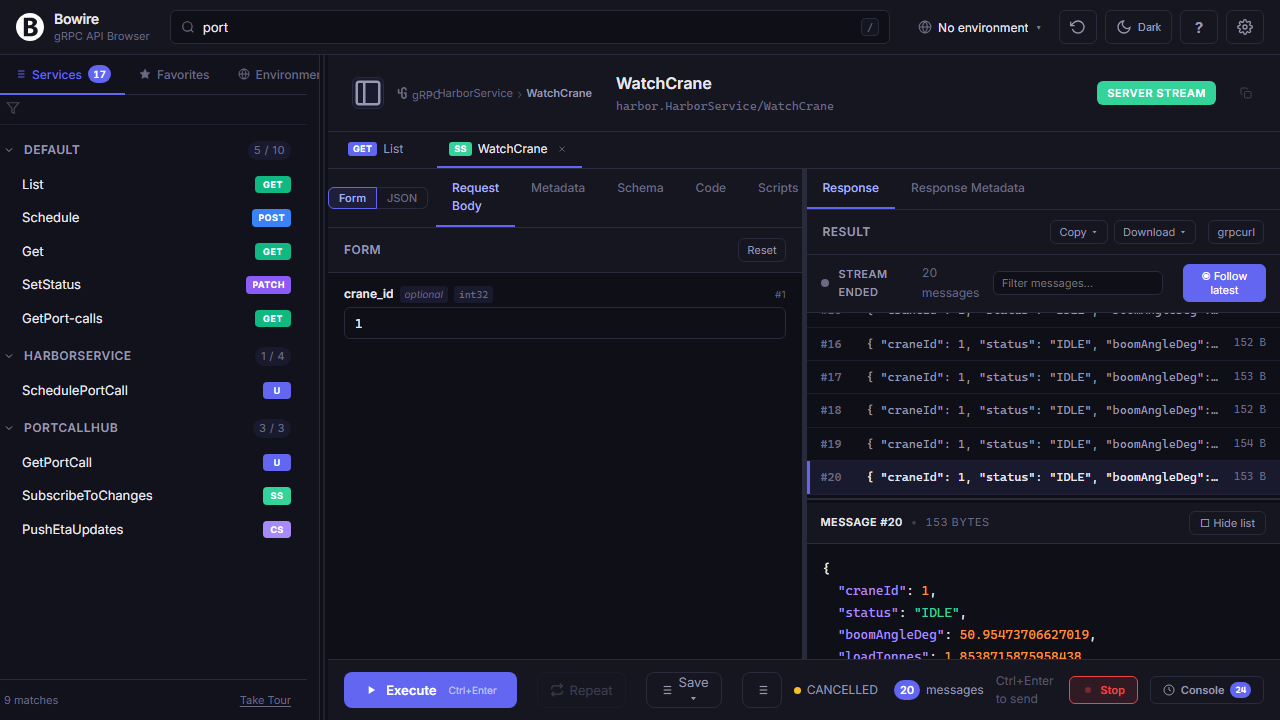
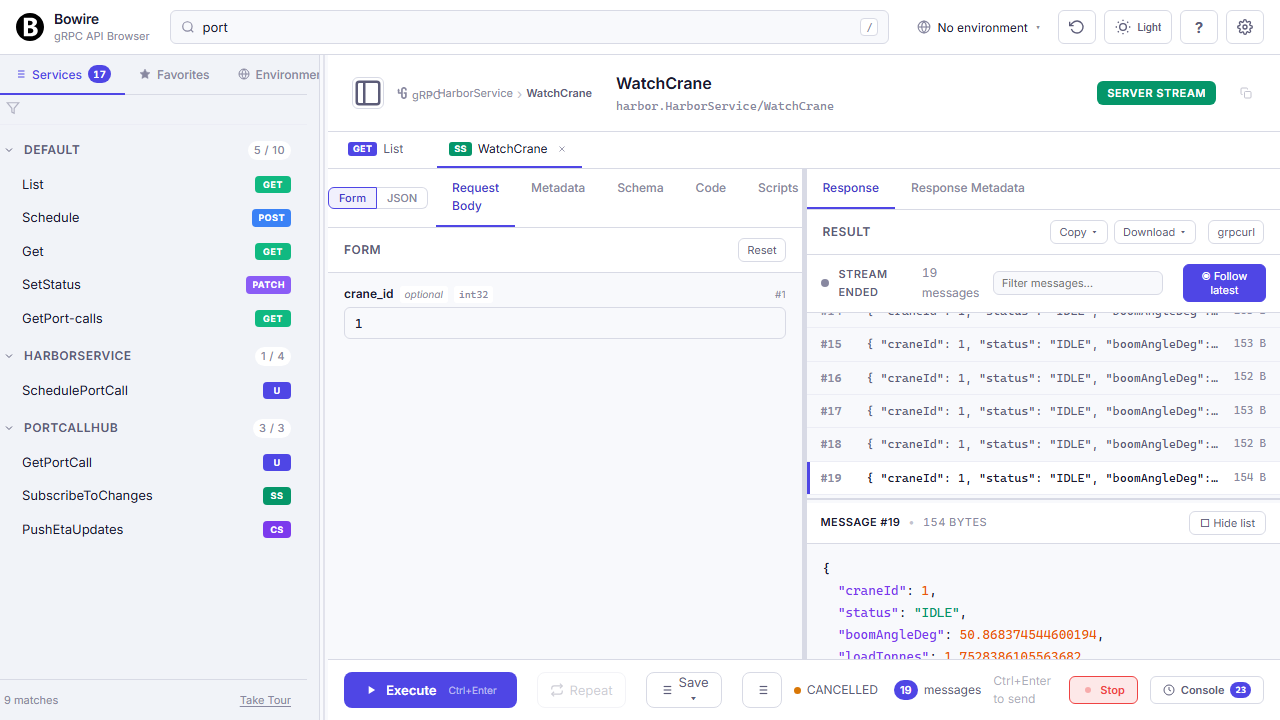
The sidebar shows every service the plugins discovered, grouped by URL when you connected to several. Click any method, drop in inputs (typed form or raw JSON, toggle with f), hit Ctrl+Enter, response renders in the right pane. Streaming responses show as a Wireshark-style frame list — each frame on its own row with status, size, and timing — so you can inspect a gRPC server-stream the same way you'd read a packet capture. Duplex protocols (WebSocket, SignalR hubs, gRPC bidi, MQTT subscriptions) open persistent channels with a send-composer on one side and incoming frames on the other.
Every call lands on the request history for one-click replay. Switch the environment dropdown in the header to point the same call at staging / prod — variables substitute automatically, no copy-paste. Click Record to capture a sequence as a .bwr file the mock server or the security scanner can replay later.
You're afloat
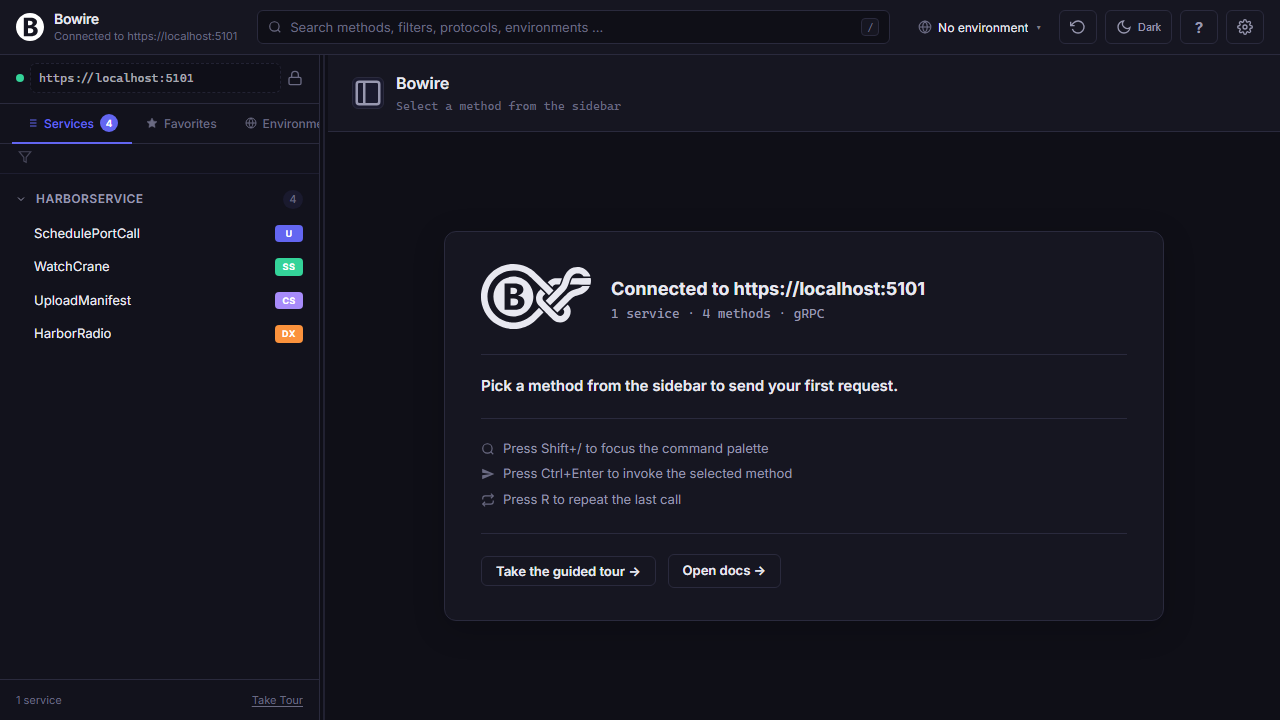
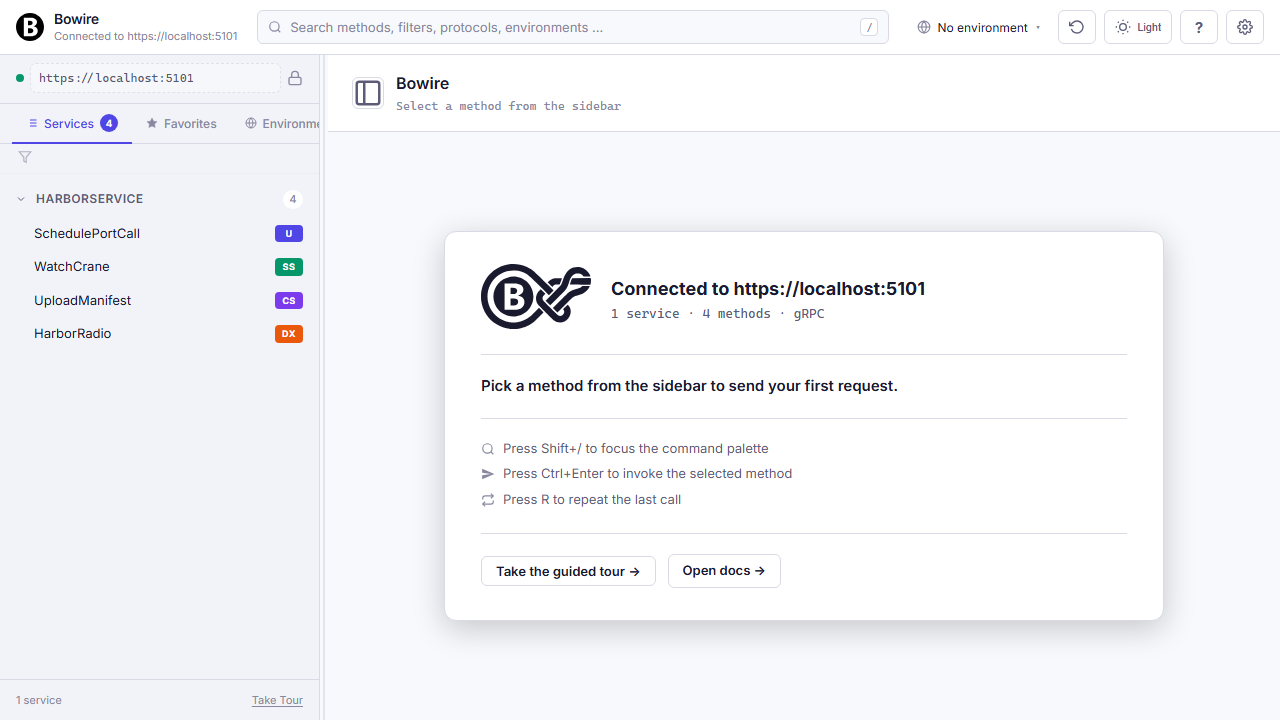
Bowire is running. The sidebar populates with every service the plugins discovered, plus a recent-history strip and the keyboard-shortcut hint band.
From here on it's a regular API workbench: pick a method, fill the form (or hit f for raw JSON), Ctrl+Enter to execute, response on the right. Recordings, environments, performance graphs, the command palette — all one shortcut away.
Grab a recording
A recording is what the mock server plays back. You need a .bwr file before bowire mock has something to serve.
Three ways to get one:
- Record from the workbench — click Record, run a sequence of calls against the real backend, click Stop. The capture writes to
~/.bowire/recordings/. - Pull a sample — the Bowire.Samples repo carries seed recordings (REST, gRPC, SignalR, MQTT) you can use straight away: samples / recordings →
- Import from HAR —
bowire import har capture.har --out session.bwrturns a browser DevTools dump into a Bowire recording.
Run the mock
bowire mock spins up a listener that replays the recording. Same protocol-shape as the original — REST, gRPC streams, WebSocket frames, MQTT publishes — not a JSON stub.
$ bowire mock --recording session.bwr \
              --port 5099
Hot-reload is on by default — edits to the recording are picked up without a restart (disable with --no-watch). Add --capture-on-miss <target-url> to transparently forward unrecorded requests to a fallback target and capture them for next time.
Point your client at it
Your test client (frontend, integration tests, contract tests, AI agent …) hits http://localhost:5099 instead of the real backend. Bytes match what production sent — no JSON-stub drift.
Useful when you want to:
- Unblock frontend work before the backend ships.
- Run contract tests in CI without standing up a service dependency.
- Share a realistic sandbox with stakeholders without exposing production.
- Pin a known-good response for a flaky integration test.
You're mocking
A Dazzle ship in your harbour. Same wire as the real backend, no live host required.
For the full feature set — chaos injection, schema-only mode (OpenAPI / gRPC / GraphQL), stateful cursors, multi-protocol replay — see the mock-server docs.
Pull the image
Multi-arch image (linux/amd64 + linux/arm64), every bundled protocol plugin pre-installed. Same image regardless of how you'll wire it in next — compose, kubectl apply, or a one-off docker run.
$ docker pull kuestenlogik/bowire:latestWire it into your stack
Drop a bowire service next to your existing ones in docker-compose.yml. Bowire's container reaches the other services via their compose-network hostnames; the workbench port (5080) is what you'll hit from outside.
The volume keeps installed plugins, recordings, and environments persistent across container restarts. Same pattern translates to a Kubernetes Deployment with a Bowire sidecar container in the pod — see the sidecar setup docs.
Bring the stack up
One command starts your service plus the workbench together. Bowire picks up api:50051 on the compose network without any host-side port-forwarding or DNS games.
$ docker compose up -d

   # bowire    listening on 0.0.0.0:5080
   # api       listening on 0.0.0.0:50051
You're sidecared
Open http://localhost:5080 on the host and the workbench is running inside your compose stack. From inside the network it talks to your other services on their service hostnames; from outside the host you reach it on the published port.
Bowire's container is replaceable — tear it down with docker compose down bowire without touching the rest of the stack. Same workbench UI as the standalone CLI, same shortcuts, same recordings (they live in the volume), just running alongside your services instead of on your laptop.
Add the NuGet packages
Pick the protocol plugins your service speaks. The core Kuestenlogik.Bowire package is always there; protocols are opt-in so you only ship what you need.
# Add Bowire core
dotnet add package Kuestenlogik.Bowire
Every first-party protocol (REST, gRPC, GraphQL, SignalR, WebSocket, SSE, MQTT, Socket.IO, OData, MCP, JSON-RPC, AsyncAPI, NATS, SOAP, Pulsar, OTLP) is its own package — same versioning, same release cadence. Sibling plugins from separate repositories (Surgewave, Kafka, DIS, UDP) are in the same picker; tick them and they appear as dotnet add package lines too. The plugin host loads each package into its own AssemblyLoadContext, so transitive-dependency conflicts between plugins can't reach your app.
UI extensions like the MapLibre map widget (for fields tagged coordinate.wgs84) install through the same path — dotnet add package Kuestenlogik.Bowire.Map — and activate automatically when the workbench sees a matching semantic kind.
Every package on the downloads page → Configuration options (mount path, theme, auth) → Plugin system docs → UI extensions docs →
Wire it into Program.cs
Two lines: AddBowire() registers the plugin host into DI, MapBowire() mounts the workbench at /bowire.
var builder = WebApplication.CreateBuilder(args);

// ... your existing service registrations ...

builder.Services.AddBowire();

var app = builder.Build();

// ... your existing middleware + routing ...

app.MapBowire();
app.Run();
That's the entire wire-in. Plugin discovery, protocol detection, and the browser UI all run in-process against the live IServiceProvider — no schema files, no parallel proto / OpenAPI to maintain, no second process to keep in sync.
Because Bowire reads from the same DI container your app already builds, every behaviour that's already wired in is honoured: [Authorize] gates still apply when invoking a method from the workbench (you need the same token), feature flags toggle the same code paths, logging providers receive Bowire's diagnostics next to your own request logs, and any IOptions<T> Bowire's plugins consume picks up the same values appsettings.json + environment variables already supply. Nothing parallel, nothing bypassed.
Run your app
Start your service the way you always do, then open /bowire alongside your normal API routes.
dotnet run --project src/MyService

# → Listening on https://localhost:5001
# Open https://localhost:5001/bowire in your browser
Bowire picks up every protocol prerequisite for you: gRPC plugins call AddGrpcReflection() and MapGrpcReflectionService(), REST plugins read your IApiDescriptionGroupCollectionProvider, SignalR plugins enumerate mapped hubs via EndpointDataSource. Side effects scoped to dev / staging environments only — the production path stays untouched.
Install the extension
One extension, from the Marketplace. It does not bundle Bowire — it drives a CLI, so the workbench in your editor, your terminal and your CI are the same binary reading the same collections.
$ ext install kuestenlogik.bowire-vscodePoint it at a Bowire
It looks for bowire on PATH first. For a build that is not there — a local checkout, a portable copy, a second version alongside the installed one — name it in .vscode/settings.json. The value supports ${workspaceFolder}, so a project-local build can be committed and shared with the team. If nothing is found, bowire.autoDownload decides whether it offers to fetch a verified one (prompt by default; always and never also work). How it finds Bowire →
{ "bowire.cliPath": "${workspaceFolder}/tools/bowire" }Open the panel
Run Bowire: Open Workbench from the Command Palette. The extension starts a Bowire, finds the port it bound, and mounts the workbench in an editor panel beside the code that serves the API — the same rails, the same discovery, no context switch to a browser.
Install Bowire and an auth provider
The identity dependencies live in their own package, so only installs that use them pay for them. Kuestenlogik.Bowire.Auth.Oidc speaks to any OIDC-compliant IdP — Entra ID, Okta, Keycloak — with no provider-specific code paths.
$ dotnet tool install -g Kuestenlogik.Bowire.Tool
$ bowire plugin install Kuestenlogik.Bowire.Auth.OidcLock the door
With no provider selected nothing changes and the endpoints stay open — the laptop-friendly default. With one selected, every Bowire route requires an authenticated caller, and a provider named on the command line that cannot be found is a startup failure rather than a silent fallback to no auth.
$ bowire --url … \
         --auth-provider oidc \
         --auth-oidc-authority https://login.example.com \
         --auth-oidc-client-id bowire \
--auth-oidc-required-claim "groups=bowire-users"Give each person their own state
Authentication answers who is calling; it moves nothing on disk. Per-identity storage is a separate switch, deliberately not implied by configuring a provider — plenty of installs put a login in front of a workbench that still has one person behind it. Switched on, each identity gets a slot under the storage root: workspaces, recordings, collections, plugin settings. Multi-user setup → · SCIM provisioning →
{ "Bowire": { "MultiTenant": { "Enabled": true } } }$ bowire users list # the slots on disk, and what each decided
$ bowire users migrate ada@example.com # report only — nothing changes until --applyBowire is mounted
Hit https://localhost:5001/bowire and the workbench is running inside your app. The sidebar already lists every service your DI container exposes — no schema files, no manual registration.
The same shortcuts, the same recordings, the same environments as the standalone CLI — just one URL away from your normal API routes. Ship the same binary to staging or production with the workbench scoped to dev environments by tag, or strip MapBowire() with a feature flag for prod.
From here
A few steps in, and you have a workbench running against any service in your stack. Four branches from here:
Wiring a CI pipeline? DevOps workflow → Running multi-user? Cruise-ship deployment → Run aground? Get helping hands →