Standalone Tool
Run Bowire as a standalone .NET global tool to browse and invoke any remote API server — no code changes required on the target service. The tool ships with every first-party Bowire protocol plugin built in (gRPC, REST, GraphQL, SignalR, WebSocket, SSE, MQTT, Socket.IO, MCP, OData), so a single install gives you the full multi-protocol workbench.
Installation
dotnet tool install -g Kuestenlogik.Bowire.Tool
The tool is published as Kuestenlogik.Bowire.Tool on NuGet but the executable
itself is just bowire — global-tool installs put it on your PATH so
you can run it from any directory.
Browser UI mode
Launch Bowire pointed at a target server URL:
bowire --url https://my-grpc-server:443
Bowire starts a local HTTP server on http://localhost:5080
(see Serving over HTTPS for TLS)
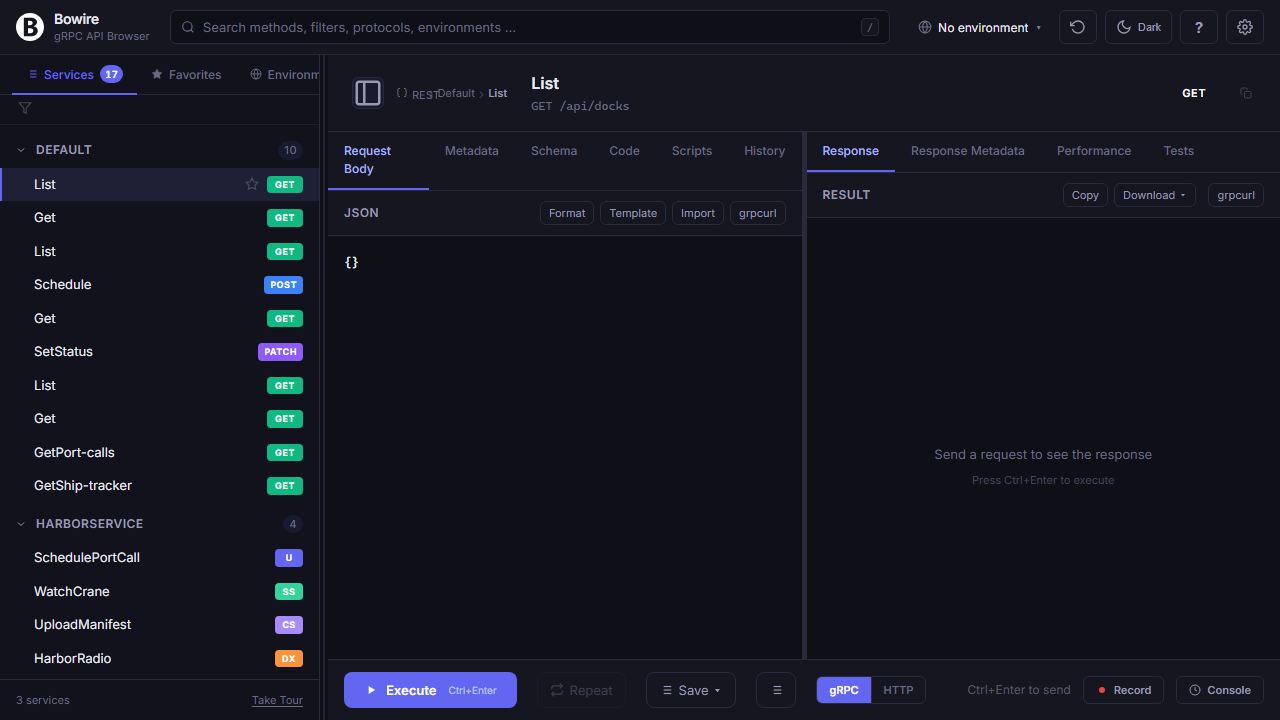
and auto-opens your default browser. The sidebar populates as
discovery completes (typically <1 second against a local server).
Multiple URLs are supported by repeating the --url flag — Bowire
fans out discovery in parallel and shows the merged service list
with per-URL origin tagging:
bowire --url https://api.dev.example:443 \
        --url https://api.staging.example:443
When discovery succeeds against some URLs but fails against others, the empty-state landing surfaces a per-URL status table with retry buttons for the failed ones — see the Empty-State Landing feature page for screenshots of every state.
Plugin hint syntax (hint@url)
By default Bowire probes every loaded plugin against each URL — fast in practice but slow when one plugin needs a long network round-trip to discover that the URL isn't theirs (e.g. the gRPC plugin opening an HTTP/2 channel against an HTTP/1.1 GraphQL server and waiting for the handshake to time out).
Prefix the URL with <plugin-id>@ to skip every other plugin's
discovery probe and route the URL straight to that plugin:
bowire --url grpc@https://api.example.com:443
bowire --url signalr@https://api.example.com/hubs/chat
bowire --url graphql@https://api.example.com/graphql
The hint is optional — bowire --url https://... keeps the original
"probe everything" behaviour. The parser is careful with URI userinfo
(https://user:pass@host) and email-style strings (alice@example.com):
both pass through untouched because they don't match the hint's
clean-token-then-:// shape. Plugin schemes (udp://, kafka://,
dis://) need no hint — the scheme itself selects the plugin.
Disabling plugins (--disable-plugin)
When a plugin DLL fails to load (broken dependency, version mismatch)
or its discovery probe is too expensive to leave running, skip it at
startup with --disable-plugin:
# Single plugin
bowire --url https://api.example.com --disable-plugin grpc

# Multiple, comma-separated
bowire --url https://api.example.com --disable-plugin grpc,signalr

# Multiple, repeated flag
bowire --url https://api.example.com \
        --disable-plugin grpc \
        --disable-plugin signalr
This removes the plugin from the protocol-registry assembly scan
entirely — it never reaches the AppDomain, never runs an Initialize
callback, never participates in Discovery. Equivalent settings in
appsettings.json:
{
  "Bowire": {
    "DisabledPlugins": [ "grpc", "signalr" ]
  }
}
--disable-plugin is process-startup config — use the hint@url
syntax above for per-URL plugin selection without disabling anything
else, and per-plugin UI toggles (rendered from BowirePluginSetting)
for runtime feature switches inside an already-loaded plugin.
Options
| Option | Description | Default |
|---|---|---|
--url <url> |
Server URL to discover (repeatable for multi-URL). Optional <plugin>@ prefix routes the URL to a single plugin. |
none |
--port <n> |
Bowire UI port. 0 asks the OS for a free one — pair it with --port-file, which is how you find out which one you got. |
5080 |
--port-file <path> |
Write the bound workbench URL to this file as JSON, once the server is actually listening, and delete it on shutdown. The handoff for anything that starts Bowire as a child process. See Reporting the bound URL. | none |
--title <text> |
Browser title | Bowire |
--no-browser |
Don't auto-open the browser | false |
--enable-mcp-adapter |
Expose discovered methods as MCP tools at /bowire/mcp/sse |
false |
--auto-create-initial-workspace |
Seed a default "Personal" workspace on first run instead of the empty Home + Create-Workspace CTA. Also bindable as Bowire:AutoCreateInitialWorkspace in appsettings.json or BOWIRE_Bowire__AutoCreateInitialWorkspace. Embedded hosts seed one by default; standalone does not. |
false |
--disable-plugin <id> |
Skip a protocol plugin at startup. Repeat or comma-separate. | none |
--update-check |
Opt in to the daily plugin-update check (off by default — outbound calls to nuget.org are opt-in). When enabled, the workbench sidebar surfaces a count badge when sibling-plugin updates are available. See Updating Bowire and its plugins. | false |
Examples
# Custom port and title
bowire --url https://server:443 --port 8080 --title "Production API"

# Headless (e.g. inside a container) — no browser auto-open
bowire --url https://server:443 --no-browser

# Started by another program: let the OS pick the port, report it back
bowire --port 0 --port-file /tmp/bowire.json --no-browser

# Multiple URLs in one Bowire window
bowire --url https://api.dev:443 --url https://api.staging:443

# AI agent integration — exposes discovered methods as MCP tools
bowire --url https://server:443 --enable-mcp-adapter
Reporting the bound URL
Anything that starts bowire as a child process — an editor integration, a CI harness, a test fixture — needs to know where the workbench ended up. Do not read it off the startup banner: that is a log line, so it disappears at a quieter log level, and it is printed before the bind is known to have worked, so it can name a URL that never serves.
Use --port-file instead:
bowire --port 0 --port-file ./run/bowire.json --no-browser
--port 0 lets the OS assign a free port, which removes the race you get from picking one yourself and binding it a moment later. Once Kestrel is listening, Bowire writes:
{ "version": 1, "url": "http://127.0.0.1:53411/", "pid": 12345 }
The write is atomic, so a reader polling the path never sees half a document. The file is cleared before the bind and deleted on shutdown, which gives the contract worth relying on: the file exists if and only if the workbench is bound. Waiting for it to appear is therefore both how you learn the address and how you know it is safe to use.
Two things are worth knowing:
- A hard kill leaves the file. SIGKILL, Task Manager, a machine going down — no in-process cleanup survives those. That is why the document carries a
pid: a reader that finds a file it did not watch appear should check whether that process is alive before trusting it. A caller that starts Bowire itself has the stronger option and should take it — delete the path first, then wait for it to reappear. - Running instances are independent. A Bowire already listening on 5080 is untouched by another started with
--port 0; they are separate processes with separate working directories, and therefore separate project-scoped storage.
This is the same handoff Chrome uses for DevToolsActivePort and Jupyter for jpserver-<pid>.json. The VS Code extension is built on it.
Serving over HTTPS
Bowire's listener is plain ASP.NET Core, so it takes its address from the same places every other ASP.NET application does. There is no Bowire-specific TLS flag, and there does not need to be:
# A development certificate — the one-off setup
dotnet dev-certs https --trust

ASPNETCORE_URLS=https://localhost:5443 bowire
For a real certificate, describe the endpoint in appsettings.json next to the
executable:
{
  "Kestrel": {
    "Endpoints": {
      "Https": {
        "Url": "https://0.0.0.0:5443",
        "Certificate": { "Path": "/etc/bowire/cert.pfx", "Password": "…" }
      }
    }
  }
}
ASPNETCORE_HTTP_PORTS and ASPNETCORE_HTTPS_PORTS work as well. All of this
is Kestrel's own configuration,
including certificate loading from a store, SNI and client certificates —
Bowire adds nothing and takes nothing away.
Two consequences worth knowing:
Strict-Transport-Securityappears only over TLS. RFC 6797 §8.1 requires a user agent to ignore the header when it arrives over plaintext, so sending it there would be decoration. Run Bowire over HTTPS and it is sent.- The port file follows the scheme you bound.
--port-filereports the address Kestrel actually serves,https://…included, so a caller that starts Bowire as a child process needs no separate configuration to find it. Where both an HTTP and an HTTPS endpoint are configured, the HTTPS one is reported.
--port and configured endpoints
--port is a command-line argument, so it outranks the environment and
appsettings.json — that is ASP.NET's ordinary precedence, and the VS Code
extension relies on it. It also means passing --port alongside a configured
HTTPS endpoint gives you the port, in plaintext, and not the endpoint. Bowire
logs a line when that happens rather than doing it quietly:
--port 5080 overrides the address configured through ASPNETCORE_URLS /
Kestrel:Endpoints; listening on http://localhost:5080 instead.
Drop --port to use the configured endpoint.
Leave --port off and the configured endpoint stands. With neither, Bowire
listens on http://localhost:5080 as it always has.
The same rule governs bowire mcp serve --bind http, which stands up a
listener of its own — see Bowire as an MCP server over HTTP.
CLI mode (grpcurl-style)
The same tool also has a CLI mode for scripting and automation. No browser is opened, no UI is started — just print to stdout:
# List all services
bowire list --url https://server:443

# Describe a specific service
bowire describe --url https://server:443 weather.WeatherService

# Invoke a method with inline JSON
bowire call --url https://server:443 \
  weather.WeatherService/GetCurrentWeather -d '{"city":"Berlin"}'
See CLI Mode for the full command reference.
Plugin management
The standalone tool ships with the ten first-party protocol plugins
built in (gRPC, REST, GraphQL, SignalR, WebSocket, SSE, MQTT,
Socket.IO, MCP, OData). To install sibling-repo plugins (Akka,
AMQP, DIS, Kafka, Surgewave, TacticalAPI, UDP — published as
Kuestenlogik.Bowire.Protocol.* packages on NuGet) or community
plugins:
# Install a community plugin
bowire plugin install Kuestenlogik.Bowire.Protocol.MyProto

# Pin a specific version
bowire plugin install Kuestenlogik.Bowire.Protocol.MyProto --version 1.0.0

# List installed plugins
bowire plugin list

# Uninstall
bowire plugin uninstall Kuestenlogik.Bowire.Protocol.MyProto
Plugins are stored in ~/.bowire/plugins/ and loaded automatically
at the next startup.
Run from source
If you've cloned the Bowire repository:
cd src/Kuestenlogik.Bowire.Tool
dotnet run -- --url https://my-grpc-server:443
The source build includes whatever protocol plugins are project-
referenced in Kuestenlogik.Bowire.Tool.csproj — by default that's all seven
first-party plugins.
What discovery requires from the target
The standalone tool talks to your target server over the network and asks it to describe itself. Each protocol has a different discovery mechanism:
| Protocol | Discovery requirement |
|---|---|
| gRPC | gRPC Server Reflection enabled (Grpc.AspNetCore.Server.Reflection) |
| REST | OpenAPI / Swagger document at /swagger/v1/swagger.json (or another path the user uploads as a fallback) |
| GraphQL | __schema introspection enabled (Bowire queries it directly) |
| MCP | MCP listing endpoint reachable |
| SignalR | Embedded mode only — SignalR has no remote discovery protocol; for standalone, upload the hub schema as a fallback |
| SSE | Embedded mode only — SSE has no listing endpoint; for standalone, configure the URL manually |
If discovery fails, Bowire's landing page shows a context-sensitive error card with the actual error message and four common-cause troubleshoot bullets — you don't have to read logs to figure out what's wrong. See Empty-State Landing.
See also
- Embedded Mode — drop Bowire into your own ASP.NET app
- Docker — run Bowire as a container
- CLI Mode — full CLI command reference
- Empty-State Landing — every onboarding state with screenshots